How Does an Iron's Automatic Shut-Off Work and When Does It Activate?
Understand iron Auto-Off: motion sensing, different horizontal and upright shut-off behavior, restart, thermostat differences, and essential safety limitations.
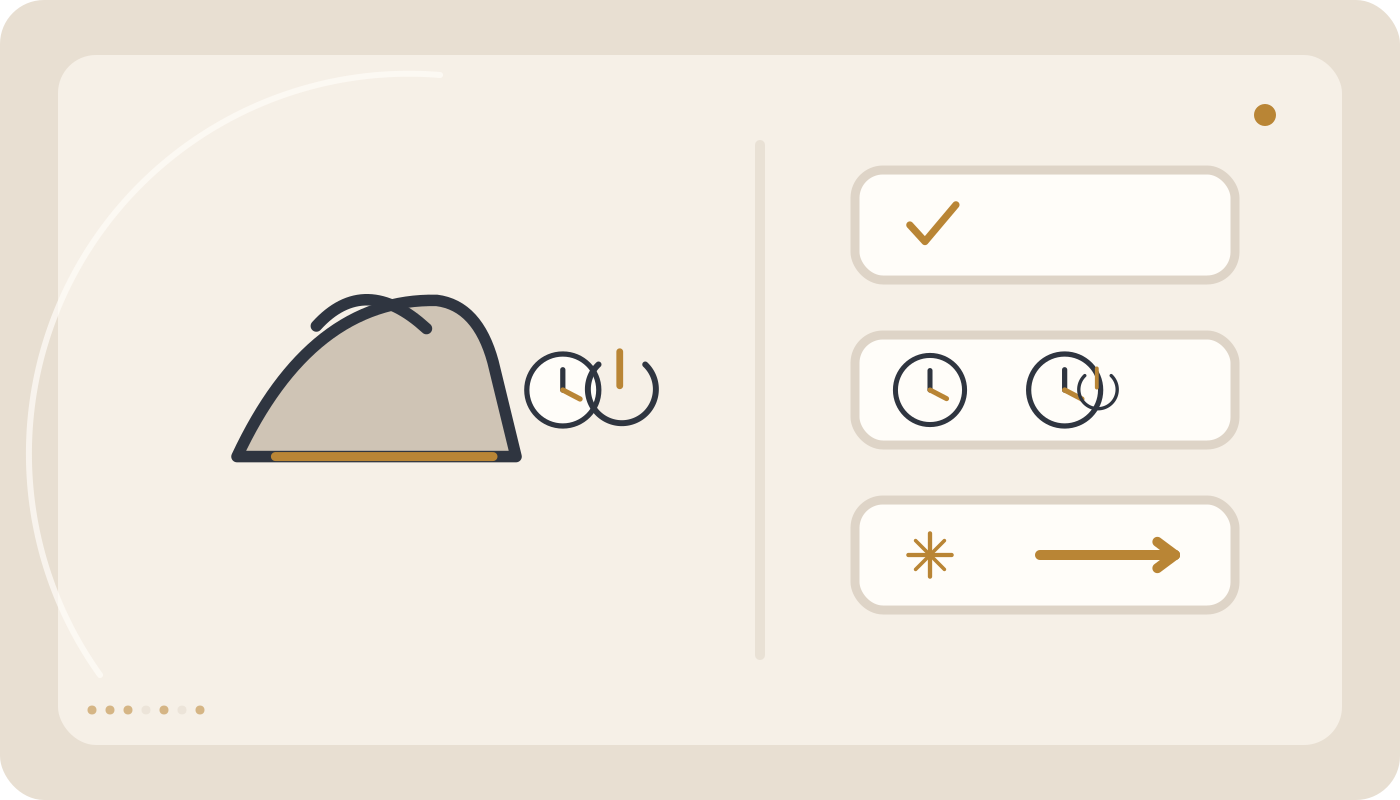
Auto-Off detects inactivity and stops or limits heating after a model-specific interval. Higher-risk horizontal positions often use a shorter delay than upright positions. It never replaces switching off and unplugging after use.
Quick comparison
How Does an Iron’s Automatic Shut-Off Work and When Does It Activate?
Auto-Off is a safety feature used in many modern irons. When the appliance remains motionless for a defined period, the system stops or limits heating to reduce the risk of scorched fabric, unnecessary soleplate heat, and accidents caused by an unattended iron. Exact timing and behavior vary by model.
Quick answer: A motion or position sensor detects that the iron has not moved for a defined time. Many designs shut down faster when the iron is horizontal or tipped over and allow a longer delay when it is standing upright. Always use the timing specified for the exact model. Auto-Off does not replace switching off and unplugging the iron after use.
What does Auto-Off actually do?
In a typical design, the control system interrupts power to the heating element after prolonged inactivity. Some models flash an indicator, sound an alert, or display an Auto-Off status.
1. How does the iron know it has stopped moving?
A motion or position sensor detects movement. When no qualifying movement is detected for the programmed interval, the controller enters its safety state.
2. Is Auto-Off the same as the power switch?
No. Auto-Off is an automatic safety intervention. The appliance may still be connected to mains power even though active heating has stopped.
3. Why does horizontal shut-off often happen faster?
An iron resting on its soleplate creates a greater scorching risk, so many designs use a shorter safety delay in this position.
4. Why is upright shut-off often slower?
When the iron stands on its heel rest, the hot soleplate is not directly touching fabric, so some designs permit a longer delay.
5. What if the iron tips onto its side?
Some models detect a side or tip-over position and use a rapid shut-off response. This is not universal.
6. What is the standard Auto-Off time?
There is no single universal time. Manufacturers and models use different intervals, so the product manual is the correct reference.
7. Why do some irons shut off after only a short period?
Short delays are commonly associated with higher-risk positions such as resting flat or being tipped over.
8. Why can an upright iron remain active longer?
The immediate contact risk is lower, although the appliance is still hot and should not be left unattended.
9. Does the soleplate become cold immediately after Auto-Off?
No. Cutting heater power does not remove stored heat. The soleplate can remain dangerously hot for a significant period.
10. Can you touch the soleplate after Auto-Off?
No. Auto-Off status does not mean the soleplate is safe to touch.
11. How does the iron restart?
Many models resume heating after the iron is moved. Other models may use a different restart sequence described in their manual.
12. Why is the iron not immediately ready after movement?
The soleplate may have cooled during the safety period and can require time to return to the selected temperature.
13. A light is flashing after Auto-Off. Is that a fault?
Not necessarily. A flashing indicator can simply report that the safety system has activated.
14. Is an Auto-Off beep normal?
On models with an audible alert, a beep can be normal. Compare the pattern with the user manual.
15. Why does the iron shut off while I am working?
If you pause to reposition clothes or step away briefly, the iron may remain motionless long enough to activate Auto-Off.
16. How can Auto-Off be distinguished from a heating fault?
If normal movement restores the indicator and heating, Auto-Off was likely active. If the soleplate remains cold, heating-system troubleshooting is more appropriate.
17. Does Auto-Off simply maintain a lower temperature?
Exact behavior depends on design. Some systems interrupt the heater while others use different energy-management logic.
18. Does Auto-Off reduce electricity use?
It can reduce unnecessary heating, although its primary purpose is safety.
19. Does Auto-Off prevent fabric scorching?
It reduces risk but cannot guarantee prevention. A hot soleplate can damage fabric before the shut-off interval expires.
20. Does Auto-Off completely prevent fire?
No. It is an additional safety layer, not permission to leave a powered iron unattended.
21. Is waiting for Auto-Off enough when ironing is finished?
No. At the end of use, switch off the appliance as instructed and unplug it.
22. Can Auto-Off be disabled?
Do not bypass or modify a safety system unless the manufacturer explicitly provides an approved user setting.
23. Why does the iron shut off while standing on its heel?
Auto-Off is designed for prolonged inactivity even in the safer upright position.
24. Can table vibration reset the timer?
Sensor sensitivity varies. Do not rely on incidental vibration as part of safe operation.
25. Why does Auto-Off activate too quickly?
First confirm that the iron was not actually motionless for the specified interval. If it shuts down during continuous ironing movement, the sensor or control system may need inspection.
26. Why does Auto-Off never activate?
The model may not include the feature, the specified delay may not have elapsed, or the system may be faulty. Confirm the product specification first.
27. How can Auto-Off be tested safely?
Use only a test procedure specified by the manufacturer. Never leave an iron on clothing, carpet, wood, or another combustible surface simply to test the timer.
28. Do garment steamers have Auto-Off?
Some steamers include automatic shut-off or standby functions, but their logic can differ from a conventional iron.
29. Do steam stations have Auto-Off?
Many advanced systems provide standby or Auto-Off, sometimes controlled by the base unit. Check the exact model manual.
30. How is Auto-Off different from the thermostat?
The thermostat regulates normal soleplate temperature during use. Auto-Off reacts to inactivity or another defined safety condition. They are separate functions.
Auto-Off versus Thermostat
| Feature | Purpose | When it acts |
|---|---|---|
| Thermostat | Maintains selected temperature range | Throughout normal ironing |
| Auto-Off | Safety interruption of heating | After inactivity or a defined condition |
| Power Switch | Manual on/off control | When operated by the user |
What to do when Auto-Off activates
- Confirm that the iron is in a safe position.
- Check the Auto-Off indicator or display.
- Move or restart the iron according to its manual.
- Wait for the selected temperature to recover.
- Test carefully before returning to a delicate garment.
If the iron does not heat again after Auto-Off
Check the outlet, cord, and temperature setting. If the system appears to leave Auto-Off but heating does not return, the heating circuit may need inspection.
If Auto-Off activates while the iron is moving
This is not expected behavior. Repeated shutdown during genuine continuous movement can indicate a motion-sensor or control problem.
If the iron still feels very hot after Auto-Off
Remember that the soleplate does not cool instantly. However, if active heating appears to continue abnormally, stop using the appliance.
What should you avoid?
- Do not treat Auto-Off as a substitute for unplugging.
- Do not leave the iron on fabric to test the feature.
- Do not touch the soleplate after Auto-Off.
- Do not bypass or modify the safety system.
- Do not apply one model’s timing to every iron.
- Do not assume every flashing light is a fault without checking the manual.
- Do not leave a connected iron unattended.
- Do not ignore shutdowns that occur during normal movement.
When is technical service needed?
Service is appropriate if Auto-Off repeatedly activates during normal movement, does not reset as specified, shows abnormal warning behavior, or fails to operate according to the model’s documented specification.
Summary
Auto-Off is a motion-based safety layer, not the iron’s primary off switch. Horizontal, upright, and tip-over timing can differ substantially between models, and the soleplate remains hot after heater power is interrupted. Always switch off and unplug the appliance after use.
Editorial safety note
This article was reviewed to separate user-safe checks from faults that require technical inspection, while preserving model-specific manual guidance as the final authority.
Common mistakes
Change only one variable at a time while diagnosing.
- Do not treat Auto-Off as a substitute for unplugging.
- Do not leave the iron on fabric to test it.
- Do not touch the soleplate after Auto-Off.
- Do not bypass the safety system.
- Do not apply one model's timing to every iron.
- Do not assume every flashing indicator is a fault without checking the manual.
- Do not leave a connected iron unattended.
- Do not ignore shutdown during normal movement.
Frequently asked questions
What is iron Auto-Off?
It is a safety system that stops or limits heating after a defined period of inactivity.
Is Auto-Off timing the same on every iron?
No. Timing and logic vary by model.
Why does an iron often shut off faster when horizontal?
Because a hot soleplate contacting a surface presents greater risk.
Is the soleplate cold after Auto-Off?
No. It can remain dangerously hot for a significant period.
How does the iron restart?
Many models restart after movement, but the exact model manual is authoritative.
Does Auto-Off replace switching the iron off?
No. Switch off and unplug the appliance after use.